

storyboard
A Flutter Debug tool to see and test all your screens at once.
Demo: https://rodydavis.github.io/storyboard/
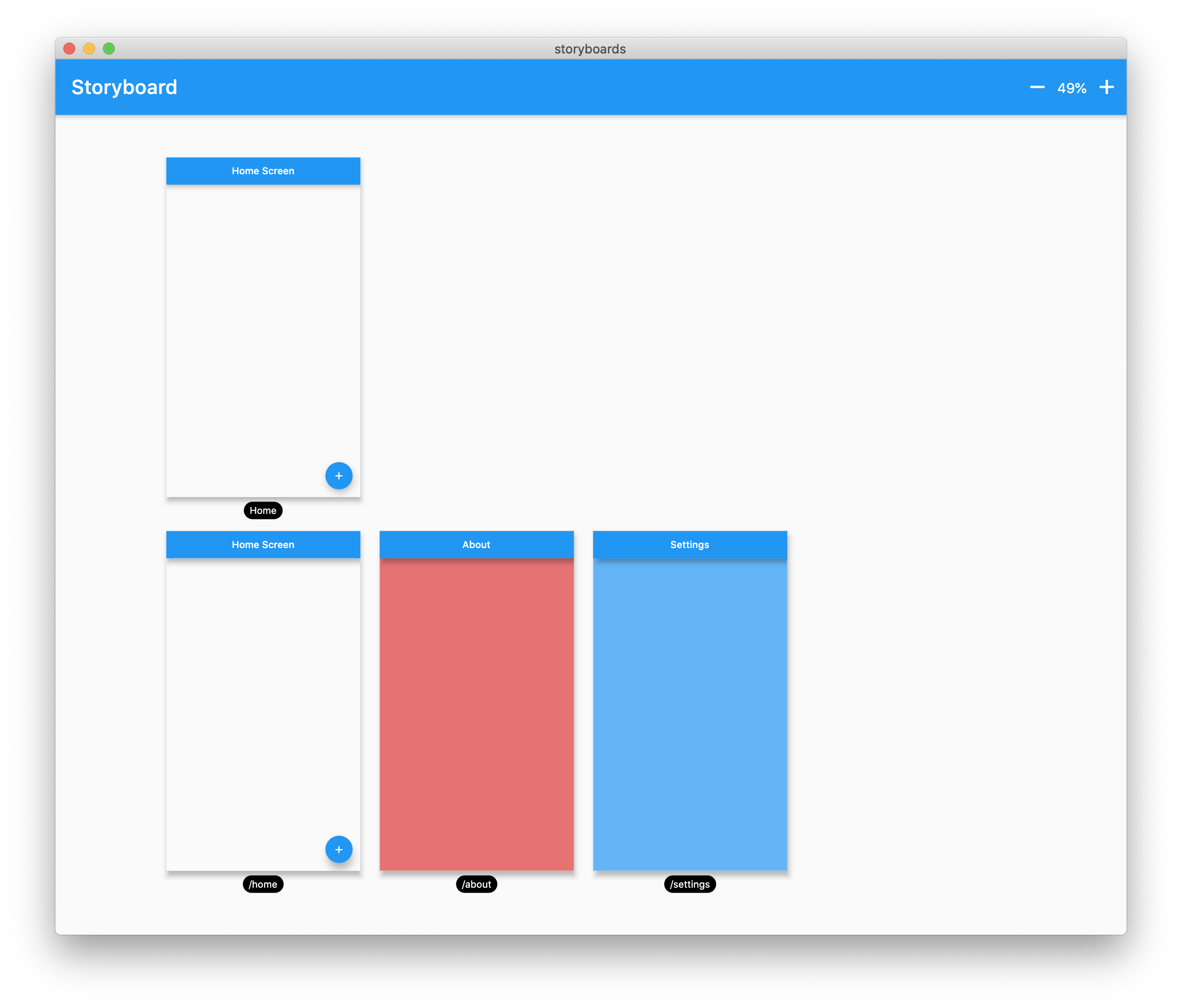
Getting Started
Wrap your MaterialApp with Storyboard.
return StoryBoard(
      // enabled: true,
      // screenSize: Size(400, 700),
      child: MaterialApp(
        debugShowCheckedModeBanner: false,
        title: 'Flutter Storyboard Example',
        theme: ThemeData.light().copyWith(
          visualDensity: VisualDensity.adaptivePlatformDensity,
        ),
        darkTheme: ThemeData.dark().copyWith(
          visualDensity: VisualDensity.adaptivePlatformDensity,
        ),
        themeMode: ThemeMode.light,
        home: HomeScreen(),
        routes: {
          '/home': (_) => HomeScreen(),
          '/about': (_) => AboutScreen(),
          '/settings': (_) => SettingsScreen(),
        },
      ),
    );
Now you can test all you screens with hot reload! You can also disable the widget at anytime by setting enabled to [false].
Download Flutter Storyboard Source code on GitHub
https://github.com/rodydavis/storyboard


Provides the list of the opensource Flutter apps collection with GitHub repository.